 AskNivo
Your audience is asking. You are presenting. Someone has to keep up with the chat.
AskNivo turns the flood of questions from live classes, talks and events into a clear list, grouped by topic and prioritized, ready for you to answer. With an executive summary at the end.
Create your account and request a free 7-day license.
During a live presentation, questions arrive mixed with spam, announcements and side conversations. Whoever is speaking can't read the chat, so they answer the two or three they happened to see, not the most important ones. The questions from people who left early are lost for good.
Polling tools collect questions. AskNivo understands what your audience wants to know.
While other platforms depend on manual voting and human moderation, AskNivo groups similar questions on its own, separates the spam, structures each topic and hands the presenter a question ready to answer, with the original messages one click away.
How it works
The audience sends
Through the link, the QR code or by typing the code at asknivo.com. No sign-up, no app to install.
AskNivo organizes
It groups questions on the same topic, isolates spam and announcements, ranks by what the room cares about most and structures each group with context, goal and obstacle.
You answer what matters
You get a clean list in order of priority, each topic with a question ready to answer. And at the end, an executive summary of what your audience really wanted to know.
Tested at scale
300 simulated participants, a real load test: 1,180 messages sent in 10 minutes. AskNivo consolidated everything into 10 prioritized topics, each with a question ready for the presenter, and isolated 470 messages of spam, announcements and side chat on its own. 100% of the questions kept and traceable: each topic shows the originals one click away.
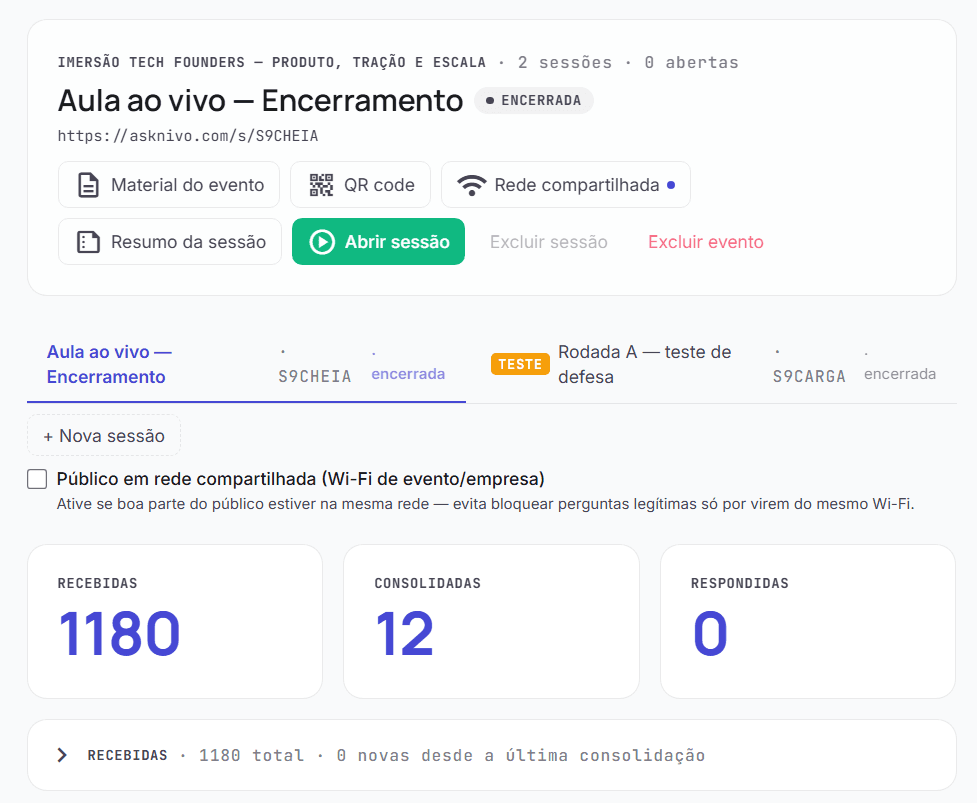
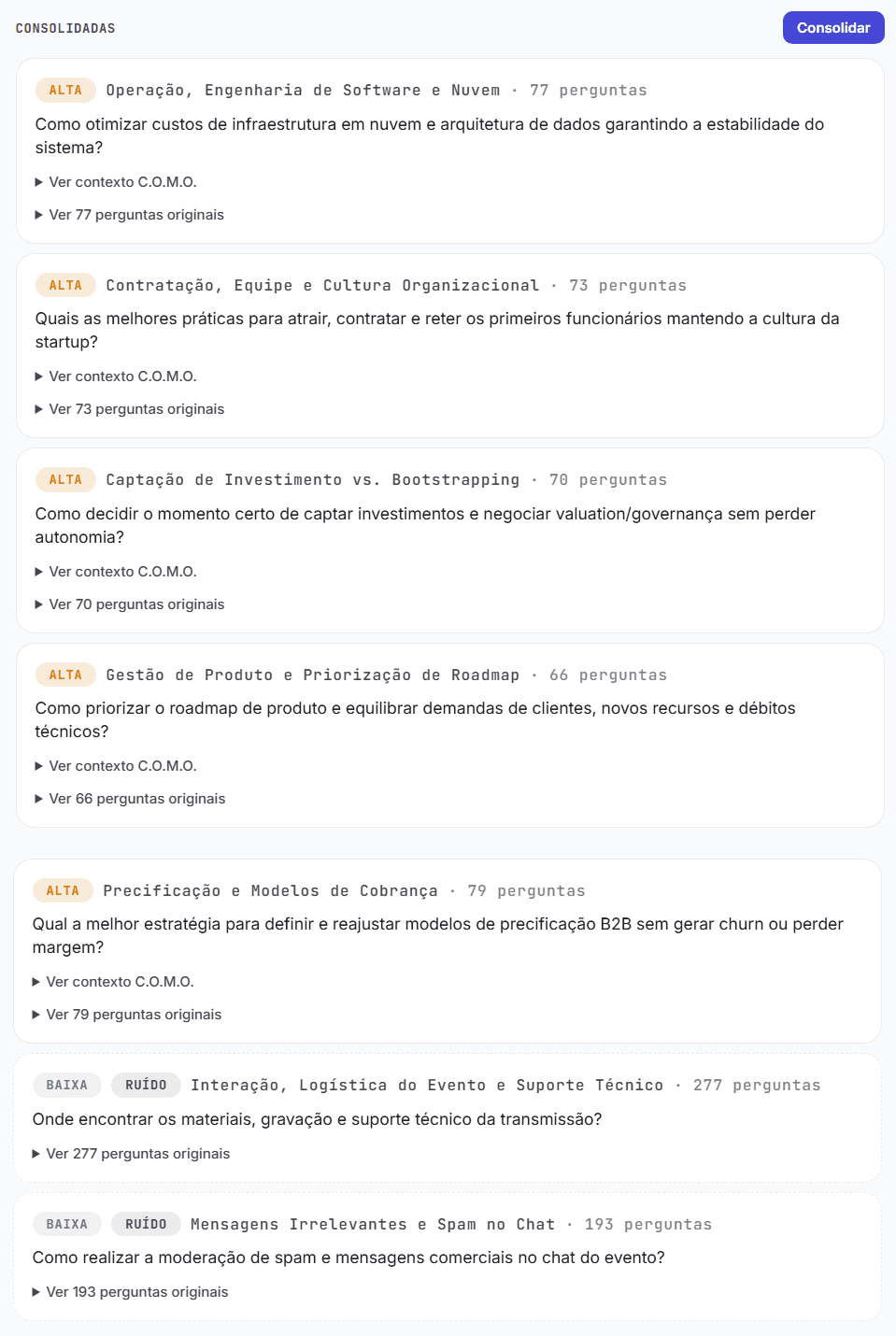
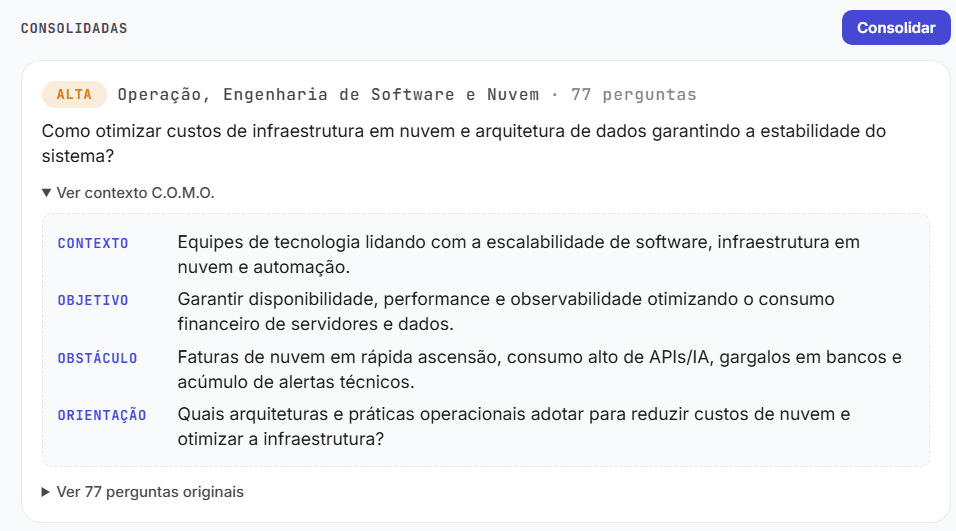
Load test with simulated participants (300 VUs), not a real event. The numbers and screens above come from that scale test.
Who it's for
Works with the whole room on the venue's Wi-Fi. Participants don't create an account or install anything. The app itself is in Portuguese for now.
Want to see it working at your next event?
Create your account and request the free 7-day license. You see the result with your real audience, and only keep going if it adds value.